Kids' Christmas Helper Chart: Real Holiday Jobs a Child Can Own
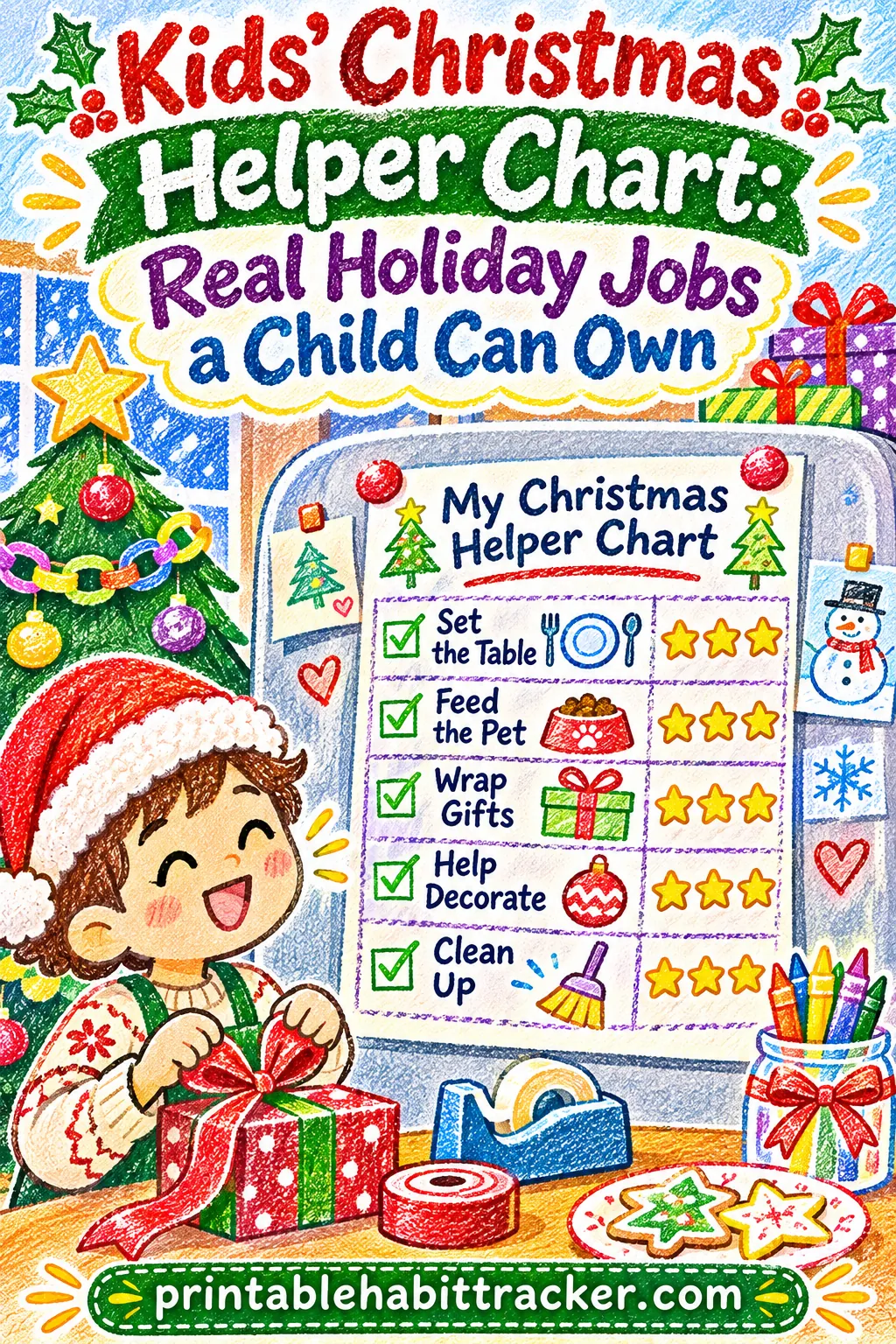
A Christmas helper chart for kids works when every row is one small, real holiday job your child can finish alone in about ten minutes, and each finished job earns a colored star the same day. Give each child four to six specific jobs, print one week at a time, and the chart turns "Can you help?" into "I already did mine."
You can make it in a couple of minutes with the free printable habit tracker maker on this site. If you want to skip the typing, build this exact tracker with the title, five helper jobs, a weekly layout and the color-in style already set.
This guide covers why kids lose interest in holiday chores after two days, a full list of real Christmas jobs sorted by age, the exact tool settings, a three-week plan from the Monday after Thanksgiving to Christmas Eve, sample charts for different families, and fixes for the problems that show up halfway through December.
✅ Try this tracker for one week
Tap a box each day you do the habit. Your ticks stay on this device.
Why Holiday Helping Fizzles by Day Three
Most parents start December with good intentions. The kids are excited, you say "Everyone's going to help this year," and for a day or two they do. Then the jobs get vague, the excitement fades, and by the first weekend you're wrapping gifts alone at 11 p.m. again.
Here's what usually goes wrong:
- The jobs are too big or too fuzzy. "Help with the cards" means nothing to a seven-year-old. "Put stamps on 10 envelopes" is a job they can see, start and finish.
- The reward is too far away. Christmas morning is weeks off. For a young child, that's practically never. A star today feels real. A present in three weeks doesn't connect to stacking chairs on a Tuesday.
- The jobs change every day. When the task list lives in a parent's head, kids can't plan for it. They wait to be asked, and asking takes your energy.
- Nobody can see progress. Without a chart, a child who has done six jobs this week feels the same as a child who has done none. There's no proof of the work.
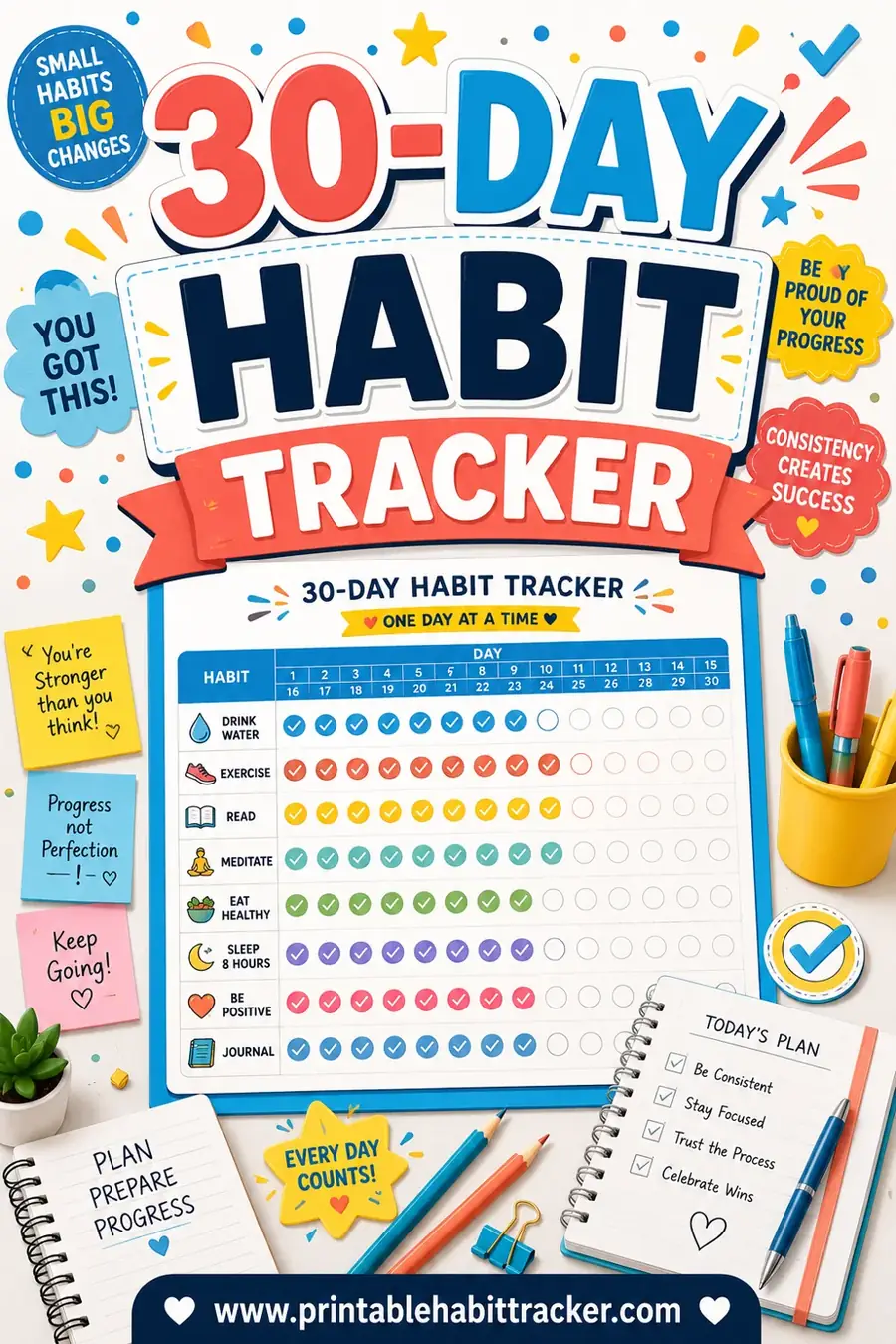
A printed helper chart fixes all four. It names each job in plain words, gives a reward the same day (the colored star), keeps the jobs the same for a whole week, and shows progress at a glance. Your child can walk up to the fridge, read the next job and do it without you saying a word.
There's a bonus, too. Kids who help get the holiday stuff ready often feel more part of the celebration. The stockings they hung, the table they set and the cards they stamped become "theirs." That sense of ownership is the real goal, and the chart is just the tool that gets you there.
What Makes a Good Christmas Helper Job
Before you type anything into the tracker, spend five minutes picking the right jobs. A good helper job passes four quick tests.
1. It's specific. The child knows exactly when the job is done. "Address 3 cards" is specific. "Help with cards" is not.
2. It takes 5 to 15 minutes. Short jobs get finished. A job that takes an hour turns into a fight, and the star never gets colored.
3. A child can do it mostly alone. You might show them once, but after that they shouldn't need you standing over them. That independence is what makes the chart work.
4. It actually helps. Kids can tell busywork from real work. Stamping envelopes that really get mailed, setting a table that guests really eat at, or folding napkins that really go on the table all feel meaningful.
Here's how vague jobs compare with chart-ready versions:
| Vague job | Chart-ready version | Why it works |
|---|---|---|
| Help with cards | Address 3 cards | Clear number, clear finish line |
| Help decorate | Hang 5 ornaments on the low branches | Small, visible, done in minutes |
| Help with presents | Help wrap one gift | One gift, tape and a tag, done |
| Clean up for guests | Tidy my room for guests | Their own space, their own job |
| Be nice | Make a kind note | A thing they make and hand over |
| Help with dinner | Set the table | Same steps every time |
| Help pack for the trip | Pack my car bag | One bag, one list |
| Help with baking | Measure and pour 2 ingredients | Real kitchen help without the oven |
Keep each row short on the chart. The tool fits longer text, but young readers do better with four or five words per line. If a job needs more detail, tape a small instruction card beside the chart ("Address 3 cards: write the name, the street, the city, then put on a stamp").
How many jobs per child?
Four to six rows is the sweet spot for most kids. Fewer than four and the chart looks thin. More than six and a seven-day week becomes 42 or more boxes, which feels like homework.
You don't need every job every day, either. Some rows can be daily ("Set the table") and some can be "any day this week" ("Help wrap one gift"). We'll show you how to mark that on the chart in a minute.
Christmas Helper Jobs by Age
Kids can do far more than most parents expect, as long as the job matches their age. Use these lists to pick four to six jobs for each child. Mix daily jobs with once-or-twice-a-week jobs.
Ages 3 to 5: little helpers
Preschoolers love to help, but their attention runs out fast. Pick jobs with a clear "done" moment and lots of hands-on action. Keep a grown-up close for anything breakable.
- Put the unbreakable ornaments on the low branches
- Stick stamps or stickers on envelopes
- Lay one stocking out for each person
- Put napkins at each place on the table
- Carry the wrapped gifts to the tree
- Put their own toys away before guests come
- Draw a picture to tuck into a card
- Hand out cookies to visitors on a plate
At this age, use pictures. Many parents draw a tiny symbol next to each job: a star for ornaments, an envelope for stamps, a sock for stockings. Your child can't read the row, but they can find the sock.
Ages 6 to 8: real jobs, short bursts
Early elementary kids can follow simple steps and handle more responsibility. They're usually the most excited helpers of all.
- Address 3 cards (copying from a list you write out)
- Set the table for dinner
- Help wrap one gift (they fold, you tape, or the other way around)
- Fold 10 napkins for the holiday meal
- Tidy their room for guests
- Make a kind note for a family member or neighbor
- Sort the ornaments by color before decorating
- Make gift tags with paper and markers
Ages 9 to 12: owners, not helpers
Older kids can own a whole job from start to finish. Give them the kind of task you'd normally do yourself.
- Address and stamp all the cards for one side of the family
- Make the shopping list for one holiday recipe
- Plan and set the table, including place cards
- Vacuum the guest room or living room
- Charge every device before a car trip
- Bake one simple recipe with a grown-up nearby
- Pack their own suitcase from a list
Ages 13 and up: teen jobs
Teens might roll their eyes at a star chart. That's fine. Give them their own sheet with a plain title and grown-up jobs. Use the checkbox style instead of color-in if it feels less babyish.
- Plan and cook one side dish for a holiday meal
- Babysit younger siblings while parents shop or wrap
- Address all the cards
- Set up the guest room
- Run the cleanup crew after a party
- Take family photos for the holiday card
Matching jobs to each child
| Age | Number of rows | Job length | Best style | Who checks it |
|---|---|---|---|---|
| 3 to 5 | 3 to 4 | 5 minutes | Color-in with pictures | Parent and child together |
| 6 to 8 | 4 to 5 | 5 to 10 minutes | Color-in | Child, parent glances at night |
| 9 to 12 | 5 to 6 | 10 to 15 minutes | Color-in or checkbox | Child |
| 13 and up | 4 to 6 | 15 to 30 minutes | Checkbox | Teen |
If you have kids at different ages, give each child their own sheet. A five-year-old shouldn't be measured against a ten-year-old, and nobody wants to hear "But he got an easier job!" every night.
How to Make the Helper Chart in the Free Tool
You can build the whole chart in the free printable habit tracker maker in about two minutes. Here are the exact settings that work best for a kids' Christmas chart.
- Title. Type "My Christmas Helper Chart" or add your child's name, such as "Maya's Christmas Helper Chart." Kids notice their name at the top, and it makes the sheet feel like theirs. The title box holds up to 60 characters.
- Start from a preset (optional). The Kids Chores chip loads a weekly, color-in chart with kid-friendly habits. It's a handy starting point if you want to see the format first. Then clear the habit box and type your own holiday jobs.
- Your habits (one per line). Type each job on its own line. For the preset on this page, that's:
- Address 3 cards
- Set the table
- Help wrap one gift
- Tidy my room for guests
- Make a kind note
- Layout. Choose Weekly. You get one row per job and seven columns, Monday through Sunday. One week per sheet keeps the chart small enough for a child to manage.
- Tracking style. Choose Color-in. Each box becomes a square your child fills with a marker or crayon. It feels like coloring a star, and kids love it. Circle is a nice middle option, and Checkbox works for teens.
- Color theme. Sunset or Bold look festive. Classic (B&W) saves ink and leaves all the color to your child.
- Options. Turn on Color-code habits to give every job its own color, which helps kids who can't read yet. Turn on Reward box if you plan a small weekly treat (the box is labeled "My reward when I hit my goal," so your child can write or draw the reward). Mood row adds a row of faces younger kids can circle.
- Notes / goals. This optional box holds up to 400 characters. Write the weekly goal here, like "Goal: 20 stars this week = cocoa and a family movie night." Or write the "any day" jobs: "Help wrap one gift: pick any 2 days."
- Paper and orientation. Choose Letter (or A4) and Portrait for five or six jobs. Switch to Landscape if your job names are long and you want wider boxes.
- Click 🖨️ Print / Save PDF. Print one sheet per child, per week.
The live preview beside the settings updates as you type, so you can see exactly what will print. Change a job name, glance at the preview, then print when it looks right.
If you'd rather start with everything filled in, build this exact tracker and just change the jobs to fit your child.
Why weekly beats monthly for kids
The tool also has a Monthly layout with every day of December across the page. That's great for adults, but it's a lot for a child. A month of boxes can feel endless to a six-year-old, and one bad week stares back at them for the rest of the month.
A weekly sheet starts fresh every Monday. A child who had a rough week gets a clean page and a new chance. And because each sheet has only 20 to 35 boxes, a good week looks nearly full, which feels great.
The weekly layout prints the days of the week (Mon through Sun) without dates, so you can reuse the same PDF for every week of December. Just write the dates at the top in pen when you put up a new sheet.
Marking "any day" jobs
Some jobs don't need to happen every day. Nobody needs to address cards seven days in a row. Here are three easy ways to show that on the chart:
- Cross out the days that don't apply. Before you hang the sheet, draw an X through the boxes for days off. A child only needs to fill the open boxes.
- Add a number to the job name. "Help wrap one gift (2x)" tells your child to fill any two boxes in that row this week.
- Use the notes box. List the "pick any two days" jobs there so the rows stay short.
A Three-Week Christmas Helper Plan
Here's a plan that runs from the Monday after Thanksgiving to Christmas Eve. In 2026, Thanksgiving is Thursday, November 26, so the chart starts Monday, November 30. Christmas falls on a Friday this year, December 25.
The plan builds from easy jobs to bigger ones, and it lines up with what a typical household is actually doing each week.
| Week | Dates (2026) | Holiday focus | Sample helper jobs |
|---|---|---|---|
| Week 1 | Nov 30 to Dec 6 | Decorating and cards | Hang 5 ornaments, Sort the decorations, Address 3 cards, Tidy my room, Feed the pet |
| Week 2 | Dec 7 to Dec 13 | Cards, gifts and a cleaner house | Address 3 cards, Make gift tags, Help wrap one gift, Set the table, Make a kind note |
| Week 3 | Dec 14 to Dec 20 | Baking, wrapping and guests | Help wrap one gift, Measure 2 ingredients, Set the table, Tidy my room for guests, Make a kind note |
| Bonus days | Dec 21 to Dec 24 | Last-minute prep or travel | Pack my car bag, Charge the trip devices, Set out the stockings, Help in the kitchen |
Week 1: Decorating and the first cards
The first week is about getting the house ready and starting cards early. Decorating jobs are the easiest win because kids already want to do them.
- Hang 5 ornaments. Give younger kids the shatterproof ones. Older kids can do a whole section of the tree.
- Sort the decorations. Have them sort ornaments by color or size into bowls before the tree goes up.
- Address 3 cards. Write out a list of names and addresses in big, clear print. Three cards a day for five days is 15 cards, a solid start.
- Tidy my room. A steady daily job that stays on the chart all month.
- Feed the pet. A job they may already do, kept on the chart so there's at least one easy star every day.
Starting with one job they already know is a small trick that works well. The first box gets colored on day one, and the chart feels doable right away.
Week 2: Cards, gifts and the house
By the second week, cards should be well underway. If you plan to mail them, check your carrier's official holiday mailing dates and work backward. The chart helps you hit that date without a last-minute rush.
- Address 3 cards. Keep going until the stack is done.
- Make gift tags. Paper, scissors, a hole punch and string. Kids can make a whole stack in one sitting.
- Help wrap one gift. Two or three times this week, not every day. Have the child wrap gifts for people other than themselves (and ask siblings to leave the room).
- Set the table. A daily dinner job that builds a skill they'll use at the big holiday meal.
- Make a kind note. A short note for a teacher, neighbor, grandparent or sibling.
Week 3: Baking, wrapping and guests
The third week is when most families have the most going on. Keep the jobs short and specific.
- Help wrap one gift. This is wrapping week, so this job can show up most days.
- Measure 2 ingredients. If you bake, let them measure the flour and sugar, or pour and stir. Keep them away from the oven and hot pans.
- Set the table. Practice for the big meal.
- Tidy my room for guests. If anyone is visiting, this row matters now.
- Make a kind note. Tuck them into cards or leave them on a pillow.
Bonus days: December 21 to 24
The last few days before Christmas are different in every family. Some travel, some host, some just wait. Print a short "bonus" sheet with three or four jobs that fit your plans:
- Pack my car bag. One bag with snacks, a book, a pillow and a small toy.
- Charge the trip devices. A child can plug in every tablet and handheld game the night before a long drive.
- Set out the stockings. A favorite job for the last night.
- Help in the kitchen. Washing vegetables, stirring, or putting rolls in a basket.
If you're staying home, swap in "Clear the table after dinner" and "Help set up the guest bed."
Sample Charts for Different Families
The same tool makes very different charts. Here are three real-life setups you can copy.
The preschooler chart
For a four-year-old, keep it to three or four jobs with pictures.
- Title: Leo's Christmas Helper Stars
- Jobs: Hang 3 ornaments, Stickers on cards, Toys away for guests, Napkins on the table
- Settings: Weekly, Color-in, Bold theme, Color-code habits on, Mood row on
Draw a tiny picture next to each row before you hang it. Let your child color the box with any color they like. At this age, the coloring itself is the reward.
The school-age chart
For a seven- or eight-year-old, use the preset on this page or something close to it.
- Title: My Christmas Helper Chart
- Jobs: Address 3 cards, Set the table, Help wrap one gift (2x), Tidy my room for guests, Make a kind note
- Settings: Weekly, Color-in, Sunset theme, Reward box on
- Notes: "20 stars this week = pick the family movie on Friday night."
That's 5 rows times 7 days, or 35 possible boxes. With "Help wrap one gift" limited to two days, the real total is 30. A goal of 20 leaves room for busy days without losing the reward.
The sibling setup
For two or three kids, print one sheet per child, with each child's name in the title. Put the sheets side by side on the fridge.
Give each child some of the same jobs ("Set the table" on alternate days) and some jobs that are only theirs. Shared jobs teach teamwork, and personal jobs prevent the "That's not my job" arguments.
A simple way to split a shared job: one child sets the table on Monday, Wednesday, Friday and Sunday, the other on Tuesday, Thursday and Saturday. Cross out the days that belong to the other sibling before you hang each sheet.
Daily Routine, Stars and Rewards
The chart only works if it's part of the day. Here's a simple routine that takes less than five minutes of your time.
After school or breakfast (1 minute): Look at the chart. Your child reads the jobs, or you read them together. Ask, "Which one do you want to do first?" Choosing the order gives kids a sense of control, and they're much more likely to start.
During the day: Do the jobs. Keep supplies where the child can reach them. Put the cards, the address list, a pen and the stamps in one basket. Keep wrapping paper, tape and tags in another. If your child has to come find you for every item, the job stalls.
Before bed (2 minutes): Color the stars. Gather at the chart, let your child color each box for a finished job, and say one specific thing you noticed. "You addressed those cards so neatly. Grandma's going to love it." Specific praise works better than "Good job."
Sunday night (5 minutes): New sheet. Take down the old sheet, count the stars together and put up the new one. Write the dates at the top. If you're changing any jobs for the coming week, do it now and reprint.
Where to hang it
Put the chart at your child's eye level, not yours. The fridge door, the back of their bedroom door or a kitchen cabinet all work. Keep a cup of markers or crayons right next to it. A chart that's hard to reach or missing its markers gets ignored by Wednesday.
Stars, rewards and keeping it fun
The colored box is the main reward. For many kids, that's enough. Watching a row fill up is satisfying on its own, especially when the colors are theirs to choose.
Some kids do better with a small extra goal. If you use one, keep it simple, shared and tied to the week, not to Christmas morning.
| Reward idea | When it fits | How it works |
|---|---|---|
| Pick the family movie | Weekly goal met | Child chooses the movie on Friday or Saturday |
| Cocoa and cookies night | Weekly goal met | A special treat with a parent, just the two of you |
| Choose an ornament spot | Any day | Child gets to hang a special ornament wherever they want |
| Stay up 15 minutes late | Weekly goal met | Extra time reading or talking before bed |
| Pick the weekend outing | Big week | A holiday lights walk, sledding hill or library trip |
| Help choose a holiday recipe | End of plan | Child picks one dish for Christmas week |
| Phone call with a grandparent | Any time | Child tells them about the jobs they did |
A few tips for rewards:
- Set the weekly goal below the maximum. If there are 30 possible stars, a goal of 20 to 22 lets your child miss a few days and still win. A goal of 30 means one sick day ruins the week.
- Don't take stars away. A colored box stays colored. If your child had a hard day, the chart just stays blank for that job. Taking stars back turns a helper chart into a punishment chart.
- Keep gifts out of it. Try not to link Christmas presents to the chart ("If you don't help, you won't get gifts"). It puts pressure on the whole holiday and makes the chart feel like a threat. Kids should help because they're part of the family.
- Celebrate the work, not just the reward. On Sunday, look back at the full sheet together. "Look at this row. You set the table every single night this week."
If your child already uses a sticker system, you can let them put a sticker in the box instead of coloring it. The sticker chart page has more ideas on making stickers work for different ages.
When the Helper Chart Stops Working
Even a great chart hits a few bumps by mid-December. Here's how to fix the common ones.
| Problem | What's going on | Try this |
|---|---|---|
| Child stops after a few days | Jobs are too long or too boring | Cut each job in half, or swap one for a job they ask to do |
| Child does the easy job only | Some rows feel like work | Pair a hard job with a fun one, or let them pick the order |
| Siblings fight over jobs | Shared jobs feel unfair | Give each child their own sheet and split shared jobs by day |
| Jobs need you every time | Supplies or steps aren't clear | Set up a supply basket and tape a short how-to card by the chart |
| Child is too young to read the chart | Words don't mean anything yet | Draw a picture on each row and use Color-code habits |
| Busy week, chart forgotten | Family schedule is packed | Keep only 3 jobs that week and print a shorter sheet |
| Teen thinks it's babyish | Star charts feel little-kid | Plain title, checkbox style, grown-up jobs, their own sheet |
| Job quality is sloppy | Child is racing to fill boxes | Show once what "done" looks like and color only when it's done that way |
The most important fix is to keep going after a bad day. If a whole day goes blank, just start again tomorrow. Our guide on what to do when you miss a day explains why a quick restart matters more than a perfect row.
When to change the jobs
If a job sits empty for a full week, it's probably the wrong job. Ask your child why. Sometimes the answer is simple ("I don't know where the stamps are") and sometimes the job is just too hard. Swap it out on the next Sunday sheet. A chart that gets small fixes every week lasts the whole season.
Adapting the chart for every child
Every child is different, and the chart should bend to fit. Here are a few common situations.
Kids who need more structure
Some kids, including many with attention challenges, do better with fewer choices and very clear steps. Try these changes:
- Keep the chart to three jobs.
- Put the jobs in the order they happen each day.
- Use Color-code habits so each job has its own color.
- Add a timer: "Address 3 cards, timer set for 10 minutes."
- Tape a picture card next to each row showing each step.
The habit tracker for kids page has more ideas for kid charts that feel encouraging rather than like a test.
Visiting relatives or hosting guests
Guests change the routine. If grandparents are staying with you, add a "guest helper" row: "Bring Grandma's coffee," "Show the guests where towels are" or "Set an extra place at the table." Kids often love helping visitors, and relatives love seeing it.
After Christmas: Thank-You Notes and the Last Sheet
The helper chart doesn't have to end on December 24. The week after Christmas is a great time for one last short sheet.
- Write 2 thank-you notes. Younger kids can draw a picture and sign their name. Older kids can write a few sentences about the gift and how they'll use it.
- Put new toys away. Find a home for each new item.
- Help pack up the decorations. Wrapping ornaments in paper and putting them in boxes is a calm, useful job.
- Recycle the wrapping paper. Flatten boxes and collect paper.
Then take a few minutes to look back. Lay all the sheets from December on the table and count the stars together. Many kids are amazed by the total. Write the number on the last sheet and save it with the holiday decorations. Next year, it's fun to pull it out and compare.
If your child liked having a job chart, keep it going in January with everyday jobs. The responsibility chart page has ideas for year-round jobs that build the same independence.
Ready to print your Christmas helper chart?
A Christmas helper chart gives kids real jobs, a daily win they can see and a bigger part in the holiday. Pick four to six jobs that fit your child's age, print one week at a time and keep the markers right next to the chart.
When you're ready, build this exact tracker with the title, five helper jobs, the weekly layout and the color-in style already filled in. Change the jobs to fit your child, add their name and print one sheet for this week.
Frequently Asked Questions
What is a Christmas helper chart for kids?
It's a printable chart that lists a few real holiday jobs, like addressing cards, setting the table or helping wrap a gift, with a box for each day of the week. Your child colors in a box each time they finish a job. It shows progress at a glance and gives a small daily win during a busy season.
What age can kids start using a helper chart?
Kids as young as three can use a simple chart with three or four picture-based jobs. School-age kids can handle four to six jobs and read the chart on their own. Teens can use one too, with a plain title, checkbox style and more grown-up tasks.
How many jobs should go on the chart?
Four to six jobs work well for most kids. Fewer than that and the chart looks empty, and more than six makes a week of boxes feel overwhelming. Preschoolers do best with three or four.
Should I use a weekly or monthly chart for December?
Weekly is better for most kids. Each sheet starts fresh on Monday, so a bad week doesn't spoil the whole month. A monthly layout works for teens or adults who like seeing all of December at once.
Should the chart be tied to Christmas presents?
It's best not to. Linking gifts to chores puts pressure on the whole holiday and can make the chart feel like a threat. Use the colored box as the main reward, and if you want an extra, keep it small and weekly, like choosing the family movie.
What if my child loses interest halfway through December?
Look at which jobs sit empty and swap them out. Shorter, more specific jobs usually fix it. You can also cut the chart down to three jobs for a busy week, or let your child pick one new job they're excited about.
Can I use the same chart for more than one child?
You can, but separate sheets usually work better. Each child gets jobs that match their age, and nobody compares stars. Put the sheets side by side and split any shared jobs by day.