Remote Worker Habit Tracker: Breaks, Movement and Shutdown
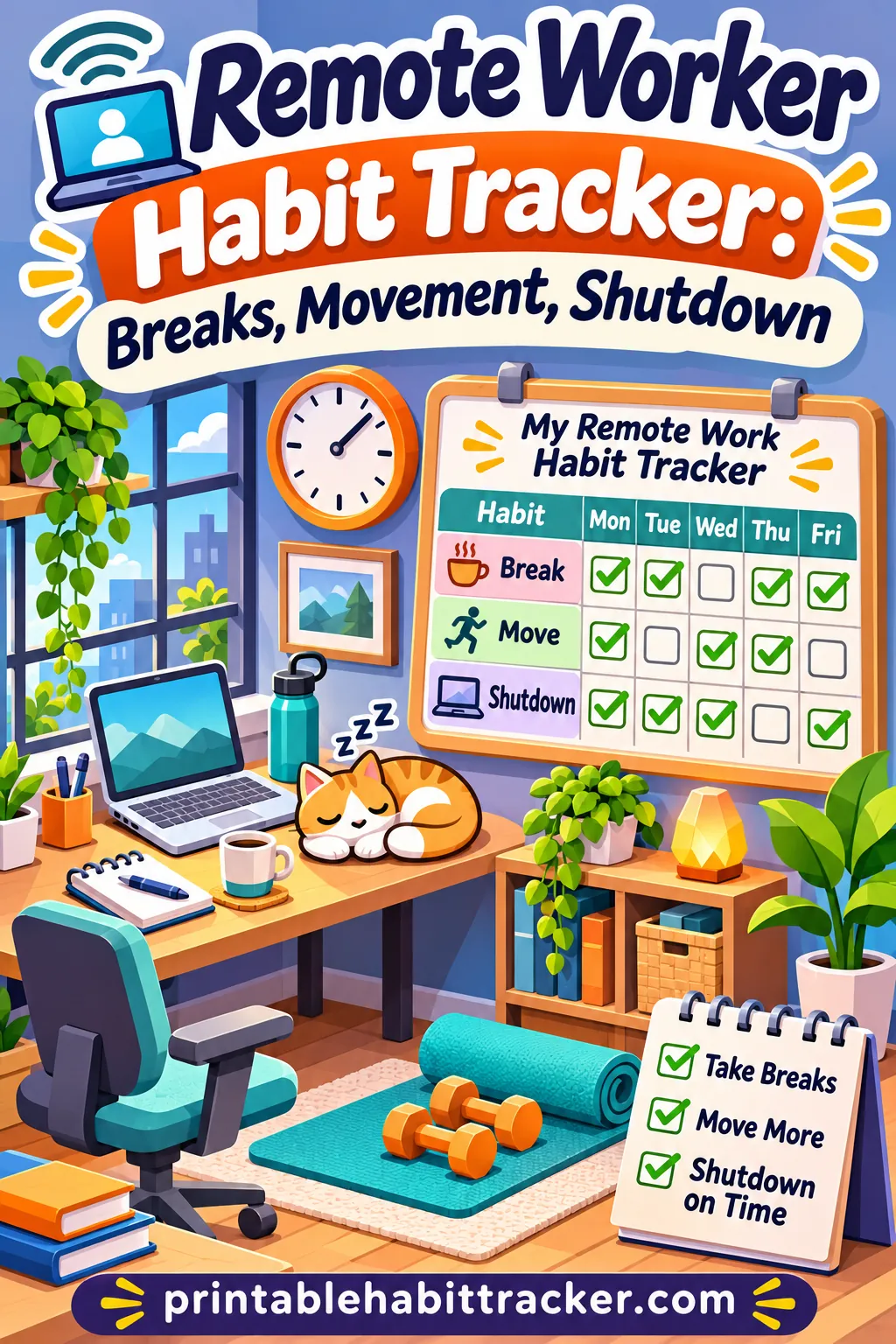
The fastest way to fix blurry work from home habits is to track three things every workday: when you take breaks, when you move, and the exact time you shut down. A simple printed grid with those rows, checked off each day, turns "I'll take a break later" into a plan you can see, and it shows you within a week where your day keeps slipping.
You can make that grid in a couple of minutes with the free habit tracker maker on this site. Type your habits, pick a weekly layout and print. Or build this exact tracker with the rows, layout and checkbox style already filled in.
This guide covers which habits to track, a sample remote workday, movement breaks you can do in a small space, a step-by-step shutdown ritual, exact tool settings, versions for parents, hybrid workers and people across time zones, and what to do when the tracker shows the same problem week after week.
Why Working From Home Blurs Your Day
At an office, the day has built-in edges. You commute in, walk to meetings, get pulled into a hallway chat, go out for lunch and leave when the building empties. None of that is a "habit" you plan. It just happens.
At home, those edges vanish. Your desk is ten steps from your bed. Lunch is a sandwich eaten over the keyboard. The laptop sits on the kitchen table all evening, and one quick email at 8 p.m. turns into forty minutes. Many remote workers notice the same pattern: they don't feel like they work much more, but they never quite feel off.
Three things tend to blur first:
- Breaks. Without a coworker saying "coffee?", it's easy to sit for three or four hours straight.
- Movement. There's no walk to the train, the parking lot or the meeting room. Some days you might barely leave one room.
- Stopping time. No one turns the lights off. Work ends whenever you notice it's dark.
A habit tracker doesn't fix these by itself. What it does is make them visible. When you see four days in a row with no walk and a shutdown time of "never," you know exactly what to change. And when you see a full row of checks, you get a small, real sense of progress.
Why paper helps remote workers
You already spend the whole day on a screen. A tracker in yet another app is one more tab to ignore. A printed sheet beside your keyboard, or taped to the wall at eye level, sits outside the screen and quietly reminds you. Checking a box with a pen also gives you a tiny physical break, which is the whole point. If you're curious about the tradeoffs, our guide to paper vs. app habit tracking goes deeper.
The Work From Home Habits Worth Tracking
You don't need to track twenty things. Five to seven rows is plenty, and they should cover the three problem areas: breaks, movement and stopping. Here's a full menu to choose from.
| Habit | Category | Why it matters at home | How to check it off |
|---|---|---|---|
| Started at my set time | Start | A clear start makes a clear end easier | Sat down to work within 15 minutes of your planned time |
| Morning "commute" | Start | Replaces the walk or drive that signaled work mode | 10 minutes outside or a short walk before logging on |
| Break every 90 minutes | Breaks | Prevents marathon sitting sessions | Stood up and stepped away at least every 90 minutes |
| Lunch away from my desk | Breaks | Gives your brain a real midday pause | Ate somewhere other than your workspace |
| 10-minute walk or stretch | Movement | Makes up for lost incidental steps | Any 10 minutes of walking, stretching or light movement |
| Stood for one call | Movement | Breaks up long sitting blocks | Took at least one meeting standing or walking |
| Refilled my water | Health | Water runs out quietly when you're focused | Refilled your bottle at least twice |
| Eyes off screen | Health | Long screen stretches feel tiring | Looked away from the screen during each break |
| Shutdown ritual done | Stop | Closes the workday on purpose | Finished your end-of-day checklist |
| Shutdown by planned time | Stop | Keeps evenings for you | Ended work at or before your stop time |
| Laptop closed after hours | Stop | Prevents "just one email" | Laptop stayed closed or put away all evening |
| No work notifications after hours | Stop | Protects off time | Work apps silenced on your phone after shutdown |
A good starter set
If you're not sure where to begin, start with these five:
- Started at my set time
- Break every 90 minutes
- 10-minute walk or stretch
- Lunch away from my desk
- Shutdown ritual done
That covers the start, the middle and the end of the day. After two weeks, add one more from the list above, such as "Laptop closed after hours" or "Refilled my water."
The guide on how many habits to track at once explains why a short list usually works better than a long one at the start.
Make each habit easy to judge
A habit row only works if you can check it off without debating yourself at 6 p.m. "Move more" is too fuzzy. "10-minute walk or stretch" is clear. "Better breaks" is vague. "Break every 90 minutes" is something you either did or didn't do.
If a habit feels hard to judge, rewrite it until the answer is a clear yes or no.
A Sample Remote Workday Routine
Here's what a simple, realistic remote workday can look like with these habits built in. Shift the times to match your hours. The structure matters more than the clock.
| Time | What happens | Habit it checks |
|---|---|---|
| 8:15 a.m. | Short walk around the block, coffee in hand | Morning "commute" |
| 8:30 a.m. | Sit down, review today's top three tasks | Started at my set time |
| 8:30 to 10:00 a.m. | Focus block, notifications off | |
| 10:00 a.m. | 5 to 10 minutes away: stretch, refill water, look out a window | Break every 90 minutes, Refilled my water |
| 10:10 a.m. to noon | Meetings and email; take one call standing | Stood for one call |
| Noon to 12:45 p.m. | Lunch at the table or outside, no laptop | Lunch away from my desk |
| 12:45 to 1:00 p.m. | Walk or light stretching | 10-minute walk or stretch |
| 1:00 to 2:30 p.m. | Second focus block | |
| 2:30 p.m. | Break: step outside, refill water, move | Break every 90 minutes |
| 2:40 to 4:45 p.m. | Lighter work, calls, admin | |
| 4:45 to 5:00 p.m. | Shutdown ritual (see below) | Shutdown ritual done |
| 5:00 p.m. | Laptop closed and put away | Shutdown by planned time, Laptop closed after hours |
This isn't a rule book. Some days a meeting runs long or a deadline eats the afternoon. The point is to have a default shape for the day, so you have something to come back to.
Use a fake commute
One of the most useful work from home habits is a "fake commute": a short walk or a few minutes outside before you start and after you stop. It replaces the transition that a real commute used to give you. Even a lap around the block can tell your brain "work starts now" and "work is over."
If you can't get outside, try a short routine indoors instead: make tea, water the plants, change into or out of "work clothes." The key is doing the same small thing every day at the same point.
Movement Breaks That Fit a Workday
When you work from home, the steps you used to get without trying (walking to the train, the meeting room, the lunch spot) mostly disappear. Movement breaks put a little of that back. They don't need to be a workout. A few minutes of standing, stretching or walking around the house is enough to count.
A quick note: these are general ideas for getting up and moving, not exercise advice. If you have pain, an injury or a health condition, follow your doctor's or physical therapist's guidance on what's right for you.
Two-minute breaks (between calls)
- Stand up, roll your shoulders back five times and shake out your hands
- Walk to the kitchen and back, refilling your water on the way
- March in place for one song
- Do a few slow neck turns and look out a window at something far away
- Stand and reach your arms overhead, then let them drop
Five-minute breaks (every 90 minutes)
- Walk up and down the stairs a few times, if you have them
- Step outside onto a porch, balcony or front step and breathe some fresh air
- Do a few gentle stretches for your back, hips and calves
- Tidy one small area of the house, like the dish rack or a pile of mail
- Water the plants or play with a pet
Ten-minute breaks (lunch or mid-afternoon)
- A walk around the block or to the mailbox and back
- A short stretching routine you know well
- Hang laundry, sweep a room or empty the dishwasher, moving the whole time
- Walk while you call a friend or family member
Ways to move during work
- Take one phone call a day standing or walking around the room
- Stand at a counter for reading or reviewing documents
- Keep your water bottle across the room, so you have to get up to drink
- Use a printer in another room, if you have one
Build reminders into your day
Breaks are easy to plan and easy to skip. A few nudges help:
- Set a quiet repeating timer for every 90 minutes. When it goes off, stand up before you think about it.
- Tie breaks to meetings. After every call, stand and move for two minutes before the next task.
- Use your water bottle as a timer. When it's empty, refill it, and take a short walk while you're up.
- Leave the tracker in sight. A blank "Break every 90 minutes" box at 2 p.m. is a gentle prompt.
If you work in focused bursts with a timer, the same idea applies: work, short break, repeat, with a longer break every few rounds. The productivity tracker page shows more ways to track focus blocks alongside breaks.
How to Build a Shutdown Ritual
A shutdown ritual is a short, repeatable checklist you run at the end of every workday. It closes open loops, sets up tomorrow and tells your brain the workday is over. For remote workers, it often does what leaving the building used to do.
The whole ritual takes 10 to 15 minutes. Here's a version you can use as is.
A 10-step shutdown checklist
- Check your inbox one last time. Reply to anything that truly can't wait; flag the rest for tomorrow.
- Check messages and chat. Answer quick questions, or let people know when you'll reply.
- Review your task list. Cross off what's done. Move unfinished items to tomorrow.
- Choose tomorrow's top three. Write them on a sticky note or the top of your planner, so your morning starts with a plan.
- Look at tomorrow's calendar. Note any early meetings or prep you'll need.
- Save and close everything. Close all tabs, documents and apps. A clean screen makes starting tomorrow easier.
- Set your status to away or offline. Let colleagues know you're done for the day.
- Tidy your desk. Put away mugs, papers and cables. Even two minutes helps.
- Close the laptop and put it away. Out of sight, in a drawer, bag or another room, if you can.
- Say a closing phrase or do a closing action. Some people say "shutdown complete" out loud, turn off a desk lamp or take a short walk. It sounds silly, but it works as a signal.
Then check the "Shutdown ritual done" box on your tracker.
Pick a shutdown time and write it down
A shutdown ritual works best with a planned stop time. Choose one that's realistic for your job, and write it at the top of your tracker ("Shutdown: 5:30 p.m.").
On days you go past it, don't beat yourself up. Just note the actual time in a notes box. After a couple of weeks, you'll see whether late days are random or tied to something specific, like Thursday meetings or end-of-month reports.
Protect the evening
The shutdown ritual is only half of the job. The other half is keeping work closed afterward. A few habits help:
- Turn off work notifications on your phone after your shutdown time.
- Remove work email from your phone's home screen.
- Keep the laptop out of the living room or bedroom.
- If you remember a task at 9 p.m., jot it on paper and leave it for tomorrow instead of opening the laptop.
If your evenings are where things slip, a night routine tracker can sit alongside your work sheet to give your off-hours some shape.
How to Make Your Remote Work Tracker in the Free Tool
Here's how to set up the tracker in the free printable habit tracker maker. It takes about two minutes.
- Title. Type "Work From Home Habit Tracker" or something personal, like "My Remote Workweek."
- Template chips. The Productivity chip is a good starting point if you want to see sample rows. You'll replace most of them with your own.
- Your habits (one per line). Type your rows. The starter set:
- Started at my set time
- Break every 90 minutes
- 10-minute walk or stretch
- Lunch away from my desk
- Refilled my water
- Shutdown ritual done
- Laptop closed after hours
- Layout. Choose Weekly for a simple Monday-to-Friday view you can check each day. Choose Monthly if you'd rather see a whole month of workdays on one page and spot patterns over time.
- Month. If you pick Monthly, choose the current month. Leave weekends blank or cross them out.
- Style. Checkbox keeps the sheet clean and professional. Color-in is more satisfying if you like a visual streak.
- Color theme. Classic B&W prints crisp and saves ink. Sage or Ocean feel calm next to a monitor.
- Options. Turn on Notes/goals to write your shutdown time and weekly focus. Turn on Reflection for a quick end-of-week review. Streak boxes are handy if you want to count days in a row of on-time shutdowns. Mood row helps if you want to see how the habits connect to your energy.
- Paper. Letter or A4, depending on your printer. Portrait works for a weekly sheet; Landscape gives more room on a monthly one.
- Click 🖨️ Print / Save PDF.
The preset link at the top of this page loads the starter set, the weekly layout and the checkbox style for you, so you can print right away and adjust later.
Daily layout for very full days
If you want more detail, use the Daily layout. It gives you a full page for one day, with room to note break times and your actual shutdown time. The daily habit tracker page shows how the daily sheet is laid out. Many remote workers use a daily sheet for the first week or two, while they're building the routine, then switch to a weekly sheet once the habits feel normal.
Versions for Different Remote Setups
Not every remote job looks the same. Here's how to adjust the tracker for common situations.
Hybrid workers
If you're in the office some days and home on others, your home days are usually the blurry ones. Mark office days on the tracker with an "O" and only track home days, or keep two short sets of rows: one for home days (breaks, walk, shutdown) and one for every day (water, laptop closed after hours). Over a month, you'll see if your home days are actually more draining or just less structured.
Parents working from home
When kids are home, a neat 90-minute focus block may be impossible. Make the habits match real life:
- "Break with the kids" (snack, quick game outside) counts as a break
- "Walked to school pickup" counts as movement
- "Work done by kids' bedtime" can replace a fixed shutdown time
- "One focus block" instead of two
Be generous with yourself. On a day with a sick child, a single check in the shutdown row is a win.
People working across time zones
Early or late calls can push your day longer at both ends. Try tracking "Hours worked" in a notes box instead of a fixed start time. Plan a later start on days with evening calls, or a shorter afternoon on days with early ones. Your "Shutdown by planned time" row might change daily, so write each day's planned time above the box.
Freelancers and self-employed
No boss means no one to tell you to stop. For freelancers, the shutdown row may matter most. Add "Logged my hours" or "Sent tomorrow's plan to myself" to your shutdown checklist, and consider a weekly "No work after 6 p.m. three nights" goal instead of a daily rule if your workload swings.
Small apartments and shared spaces
If your desk is in your bedroom or living room, the line between work and home is even thinner. Small rituals help: cover the desk with a cloth after shutdown, put the laptop in a drawer, or turn your chair to face the wall. Track "Work stuff put away" as its own row.
Remote workers who find focus hard
If focus and transitions are a struggle, keep the tracker very short (three rows), use timers generously and give each block a single clear task. The color-in style can make progress feel more rewarding. If you're working with a doctor or coach on attention or focus, follow their advice on routines and adjust the tracker to fit.
When the Tracker Shows the Same Problem
After a week or two, look for patterns. Empty boxes aren't failures; they're clues. Here are the most common patterns remote workers see, and what usually helps.
| What you see | What it often means | What to try |
|---|---|---|
| No breaks checked most days | You get absorbed and forget | A repeating timer, or a break after every meeting |
| Breaks happen, but no walks | Breaks turn into phone scrolling | Write "move" on a sticky note on your phone case; leave the phone at your desk on breaks |
| Lunch at the desk every day | Lunch feels like wasted work time | Block lunch on your calendar so colleagues see it |
| Shutdown fails on the same weekday | A recurring late meeting or deadline | Plan a later start that day, or move the meeting if you can |
| Shutdown done, but laptop reopened | Work notifications are still on | Silence work apps after hours; keep the laptop in another room |
| Late start most mornings | Evenings are running late | Track a bedtime row too; start with a "morning commute" walk |
| Water row always blank | Bottle isn't in reach or in sight | Fill two bottles in the morning and keep one at the desk |
| Strong Monday, empty Thursday | Fatigue builds through the week | Make Thursday and Friday habits smaller, not bigger |
| Everything slips during busy weeks | Tracker feels like extra work | Cut back to two rows: one break, one shutdown |
If you miss a whole day or week
It happens to everyone: a big deadline, a sick week, a trip. Don't throw the sheet out. Skip the missed days, start fresh on the next workday and keep going. A tracker with a few gaps still shows you far more than no tracker at all.
When the habits stop feeling helpful
Sometimes a habit just isn't right for you. If "Break every 90 minutes" never fits because your calls run in two-hour blocks, change it to "Break between call blocks." The tracker should match your real job, not an ideal one.
Your Weekly Work From Home Review
The tracker gets much more useful when you spend five minutes looking at it at the end of each week. Friday afternoon, as part of your last shutdown ritual, works well.
Ask yourself five questions:
- Which row has the most checks? That habit is working. Keep it.
- Which row has the fewest? That's your focus next week.
- What got in the way? Look at the notes. Was it meetings, energy, kids or a specific day?
- What's one small change for next week? Make it tiny: a timer, a calendar block, moving the water bottle.
- How did I feel this week? If you turned on the mood row, look at whether better habit days lined up with better mood days.
Write your answers in the Reflection box, then print next week's sheet. If you use a monthly layout, do the same review on the last workday of the month too.
A four-week plan for building the routine
If you're starting from scratch, build the habits in stages instead of all at once.
| Week | Focus | Rows to track |
|---|---|---|
| Week 1 | Just notice | Start time, actual shutdown time (write them down), one break |
| Week 2 | Add movement | Break every 90 minutes, 10-minute walk or stretch, shutdown time |
| Week 3 | Protect lunch and evenings | Add lunch away from desk and laptop closed after hours |
| Week 4 | Full routine | All starter rows, plus the shutdown ritual |
By the end of the month, the routine usually feels less like a project and more like your normal workday. That's when the tracker becomes a light daily check instead of a daily effort.
Ready to print your tracker?
Breaks, movement and a clear stopping time are the three work from home habits that make the biggest difference to how your days feel. Put them on paper, check them off each day and look at the sheet every Friday.
When you're ready, build this exact tracker with the starter habits, weekly layout and checkbox style already filled in. Change any row, add your shutdown time and print it for your desk.
Frequently Asked Questions
What are the most important work from home habits?
Three habits make the biggest difference for most remote workers: taking regular breaks, moving during the day and stopping work at a set time. Starting at a consistent time and eating lunch away from your desk also help. Track a short list of these, rather than everything at once.
How often should I take a break when working from home?
A common approach is to step away for at least a few minutes every 60 to 90 minutes. Many people find 90 minutes a realistic target around meetings. Choose a rhythm that fits your job, and use a timer or a "break after every call" rule to remember.
What is a shutdown ritual?
It's a short checklist you run at the end of each workday to close open tasks, plan tomorrow and signal that work is over. It usually takes 10 to 15 minutes and ends with closing and putting away the laptop. Doing the same steps daily helps your brain switch off from work.
How do I stop working late at home?
Pick a realistic shutdown time and write it on your tracker. Run a shutdown ritual before that time, silence work notifications afterward and put the laptop out of sight. If you keep working late on the same day each week, look at what's causing it and plan around it.
Should I use a daily, weekly or monthly tracker?
A daily sheet gives you room for detail and works well while you're building the routine. A weekly sheet is quick to check and easy to keep beside your keyboard. A monthly sheet is best for spotting patterns over time, such as which weekday your shutdown usually slips.
How can I move more when working from home?
Add short movement breaks through the day, take some calls standing or walking, keep your water across the room and take a short walk before and after work as a "fake commute." Small amounts add up. If you have pain or a health condition, follow your doctor's or physical therapist's guidance.
What if my job doesn't allow fixed break times?
Tie breaks to events instead of the clock. Stand up after every meeting, refill your water after each finished task or take a walk once your inbox is cleared. Track "took a break between call blocks" instead of a strict time-based rule.
How many habits should I track at once?
Start with three to five. A short list is easier to keep up with, and you can add one more habit every couple of weeks once the first ones feel automatic. Too many rows at the start usually means more empty boxes and less motivation.