Winter Break Daily Rhythm Chart: Two or Three Anchors Instead of a Schedule
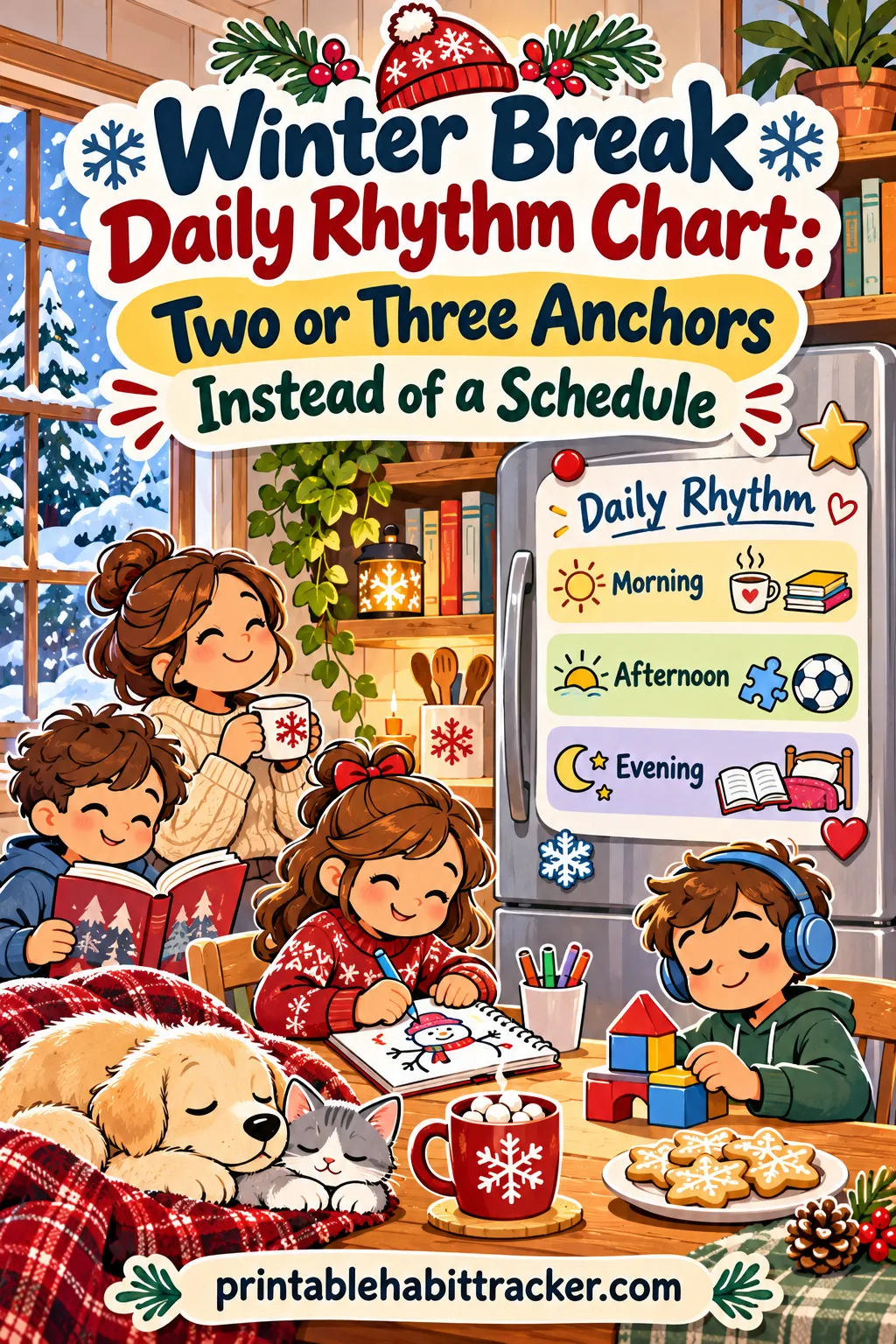
The winter break routine for kids that actually lasts isn't an hour-by-hour schedule. It's two or three daily anchors, like getting outside before lunch, a quiet reading time and a family dinner, that happen every day in roughly the same order, with everything else left free. Kids get enough structure to stop the bickering and the all-day screen drift, and you don't spend break enforcing a timetable that falls apart by day three.
You can print the whole thing on one page with the free printable habit tracker maker on this site. Build this exact tracker and it opens with five anchor rows, a weekly layout and the color-in style already set. Keep the rows you like, delete the rest, and print one sheet per week of break.
This guide covers why detailed schedules collapse, how anchors work, a menu of anchor ideas by age, the exact tool settings, a quick family meeting to kick it off, a day-by-day plan for the 2026 to 2027 break, sample charts for different families and fixes for the days when it all goes sideways.
✅ Try this tracker for one week
Tap a box each day you do the habit. Your ticks stay on this device.
Why Hour-by-Hour Schedules Fall Apart
Every December, a lot of parents make the same plan. On the first day of break, a color-coded schedule goes up on the fridge: 8:00 breakfast, 8:30 get dressed, 9:00 reading, 9:30 crafts, 10:30 outside, 11:30 free play, and so on until bedtime.
Day one goes great. Day two goes mostly fine. By day three, someone slept until 9:30, a relative called, the craft took 10 minutes instead of an hour, and the whole schedule is "off." Once a schedule is off, it's useless. Kids notice right away, and the default takes over: screens, snacking and siblings poking each other.
Here's why that happens:
- Break days aren't the same. One day you're home, the next you're driving to see family, the next there's a holiday party. A schedule built on clock times can't survive that.
- Clock times create failure. When reading was supposed to start at 9:00 and it's now 9:40, it feels like you've already lost. Many parents give up at that point.
- Too many slots means too much enforcing. A 12-slot schedule means 12 transitions to manage, and transitions are where kids push back.
- Kids need some open time. Unstructured play, boredom and lazy mornings are part of what makes a break restful. A packed schedule takes that away.
The opposite problem is just as real, though. With no structure at all, many kids drift. Screens fill every gap, kids get cranky and wired, siblings fight, and parents feel like they're managing chaos all day.
The middle path: anchors
An anchor is a small thing that happens every day, tied to a part of the day rather than a clock time. "Outside before lunch" is an anchor. "10:30 to 11:30 outdoor time" is a schedule.
A few anchors spread across the day give kids something to lean on: a rhythm they can predict. Everything between the anchors stays free. If a day goes off the rails, you still hit the anchors, and the day still feels like it had some shape.
| Hour-by-hour schedule | Daily anchors |
|---|---|
| 12 or more time slots | 2 to 5 short items |
| Tied to clock times | Tied to parts of the day (before lunch, after dinner) |
| Breaks the moment one slot runs late | Bends around late mornings and outings |
| Parent enforces every transition | Kids can see and check off the anchors themselves |
| Free time is squeezed out | Most of the day stays free |
| Usually abandoned by day three | Easy to keep for the whole break |
What Makes a Good Daily Anchor
Not every activity makes a good anchor. The best ones pass four tests.
1. It fits almost any kind of day. Home, at grandma's or on a travel day, you can usually still get outside, read for a bit and eat dinner together. "Make a big craft project" doesn't travel well.
2. It's tied to a part of the day. "Outside before lunch" or "reading after lunch" gives the day a shape without a clock.
3. It's short or flexible. Fifteen minutes of reading counts. So does a two-hour sledding trip. The anchor is "it happened," not "it lasted exactly this long."
4. It fixes a real problem in your house. If your kids never go outside, that's an anchor. If they already read every day without being asked, you don't need a reading row.
How many anchors?
Two or three anchors are enough for most families. Five is the upper limit. The preset on this page has five rows because it gives you choices: keep the two or three that matter most to your family and delete the rest before you print.
Why so few? Every anchor you add is one more thing to remind kids about. With three anchors, a good day looks like three colored boxes, which feels like a win. With eight, a good day still has empty boxes, and the chart starts to feel like a report card.
The five anchors in the preset
Here's what each row in the preset does, and why it's there:
- Outside before lunch. Fresh air, light and movement early in the day burn off energy and make afternoons calmer. It doesn't have to be long. A walk around the block, ten minutes in the yard or building a snowman all count.
- Quiet reading time. A daily calm stretch, usually after lunch, that gives everyone, including you, a break. Pre-readers can look at picture books or listen to an audiobook.
- One chore. One small job a day keeps the house from falling apart and keeps kids feeling like part of the team. Think unload the dishwasher, feed the pet or tidy the playroom.
- Family dinner. The evening anchor. Everyone at the table, screens away, even if dinner is leftovers.
- Something kind. A small daily act like a note, a drawing for a grandparent or helping a sibling. During the holidays, this one often turns into the kids' favorite row.
Anchor Ideas by Age and Problem
If the preset rows don't fit your family, swap in your own. Here's a menu of anchors sorted by the problem they solve.
| If your problem is... | Try this anchor | Works best for |
|---|---|---|
| Screens all day | Screens after the morning anchor | Ages 5 and up |
| Kids bouncing off the walls | Outside before lunch | All ages |
| Constant bickering | Quiet time in separate rooms | Siblings of any age |
| House falling apart | One chore before screens | Ages 4 and up |
| Nobody reads | Quiet reading time after lunch | Ages 3 and up |
| Kids staying up too late | Lights out by a set time | All ages |
| Everyone scattered all day | Family dinner | All ages |
| Kids bored and whiny | One thing I made today | Ages 4 to 12 |
| Losing school skills | 15 minutes of math or writing | Ages 6 to 12 |
| Teens vanishing into rooms | One family activity | Ages 13 and up |
| Holiday overwhelm | Something kind for someone else | All ages |
Ages 3 to 5
Little kids thrive on rhythm. Anchors work especially well because they mirror a preschool day: outside time, quiet time, snack, story.
- Outside before lunch
- Rest or quiet time after lunch
- Help with one job (put napkins on the table, feed the pet)
- Bath and story before bed
Use pictures next to each row so pre-readers can find their anchors, and keep the chart to three or four rows.
Ages 6 to 9
This is the sweet spot for the preset. Kids this age can read the chart, color their own boxes and handle a mix of "fun" anchors and "useful" anchors. Three or four rows is plenty.
- Outside before lunch
- Quiet reading time
- One chore
- Something kind
Ages 10 to 12
Tweens can handle a little more independence. Let them choose one of their own anchors, and use checkbox or circle style instead of color-in if they think coloring is babyish.
- Outside or active time
- Reading or a project
- One chore
- Help with dinner
Teens
Teens don't need a chart on the fridge, but many do appreciate a small personal sheet, especially if they're trying to keep up a habit over break. Let them write it. A teen sheet might look like: Move for 20 minutes, Read 20 pages, One family activity, Phone out of the room by 10:30.
How to Make the Anchor Chart in the Free Tool
You can build the chart in the free printable habit tracker maker in about two minutes. These settings work well for a winter break anchor chart.
- Title. Type "Our Winter Break Anchors" for a family chart, or use a name: "Sam's Winter Break." The title box holds up to 60 characters.
- Start from a preset (optional). The Kids Chores and Responsibility chips load weekly, kid-friendly charts you can glance at for ideas. You'll replace their rows with your anchors.
- Your habits (one per line). Type your two to five anchors, one per line. For the preset on this page:
- Outside before lunch
- Quiet reading time
- One chore
- Family dinner
- Something kind
- Layout. Choose Weekly. Your anchors go down the side and the seven days go across the top. A typical winter break is about two weeks, so you'll print two or three sheets.
- Tracking style. Choose Color-in for younger kids. Each box is a square to fill with a marker or crayon. Circle or Checkbox suits tweens and teens.
- Color theme. Ocean or Sage feel wintry and calm. Bold or Sunset feel festive. Classic (B&W) saves ink.
- Options. Turn on Color-code habits to give each anchor its own color, which helps kids who can't read yet. Turn on Reward box if you'd like a small weekly goal. Reflection adds space to jot what went well, and Mood row lets younger kids circle a face for each day.
- Notes / goals. This box holds up to 400 characters. Use it for your family's anchor rules, such as "Screens after outside time" or "Chore can be any job from the list on the fridge." You can also write a short list of outside ideas so nobody has to ask.
- Paper and orientation. Choose Letter or A4 and Portrait. Switch to Landscape if your anchor names are long.
- Click 🖨️ Print / Save PDF.
The live preview updates as you type, so you can see the finished sheet before you print. Or skip the typing: build this exact tracker, then delete any rows you don't need.
One family sheet or one per child?
Both work. Here's how to choose:
- One family sheet works when the anchors are shared, like family dinner and outside time. Hang it in the kitchen, and whoever is home colors the box.
- One sheet per child works when kids are different ages or tend to argue about who did what. Each child colors their own boxes, and nobody gets credit for someone else's chore.
Many families do both: a family sheet for shared anchors and a small personal sheet for each child's reading and chore.
Dates on a weekly sheet
The weekly layout prints the days of the week without dates, so the same PDF works for every week of break. Write the dates above each column in pen when you hang a new sheet. You can also mark travel days or holiday days with a small star so everyone knows those days run differently.
Start with a ten-minute family meeting
Anchors work best when kids help choose them. A short family meeting a day or two before break starts makes a big difference. Keep it short, around ten minutes, and keep it upbeat.
A simple meeting script
1. Start with what's fun (2 minutes). "Break starts Saturday. What's one thing each of you really wants to do?" Write the answers down. Some of these can go on a "break bucket list" taped next to the chart.
2. Name the problem without blame (2 minutes). "Last break, by the end of the first week, everyone was cranky and we were on screens all day. I don't want that this time. Do you?"
3. Pick the anchors together (4 minutes). "Let's pick three things we do every day, and the rest of the day is free. I'd like one of them to be getting outside. What are two more?" Offer a few choices from the menu above, and let the kids pick.
4. Agree on one screen rule (2 minutes). The simplest one is "Screens after the morning anchor." That means outside time, or a chore, happens before the first screen of the day.
Write the anchors into the tool together, let the kids pick the color theme, and print it right there. Kids are much more likely to follow a chart they helped make.
What to say when kids push back
- "That's like school!" "School has a schedule for every hour. This is just three things. The rest of the day is yours."
- "Why do we have to go outside? It's cold." "Ten minutes counts. Dress warm, and you pick what we do out there."
- "I already read at school." "This is reading whatever you want. Comics, magazines and cookbooks all count."
- "My friend doesn't have to do this." "Every family does break a little differently. These are our three."
A Day-by-Day Plan for the 2026 to 2027 Break
Winter break dates vary by district, so check your school calendar. Many US schools are out from about Saturday, December 19, 2026, through Sunday, January 3, 2027, with Christmas on a Friday and New Year's Day on the following Friday. Here's how anchors fit around that.
| Days | What's going on | Anchors to keep | Anchors to relax |
|---|---|---|---|
| Sat, Dec 19 to Sun, Dec 20 | First weekend, everyone decompresses | Outside before lunch, Family dinner | Chore, reading |
| Mon, Dec 21 to Wed, Dec 23 | At home, last-minute prep | All anchors | None |
| Thu, Dec 24 (Christmas Eve) | Busy, maybe travel or guests | Something kind, Family dinner | Reading, chore |
| Fri, Dec 25 (Christmas) | Holiday | Outside (a walk after the big meal) | Everything else |
| Sat, Dec 26 to Sun, Dec 27 | Recovery, new toys, visitors | Outside before lunch, Quiet reading time | Chore |
| Mon, Dec 28 to Wed, Dec 30 | The "long middle," boredom risk | All anchors | None |
| Thu, Dec 31 (New Year's Eve) | Late night likely | Outside, One chore | Reading |
| Fri, Jan 1 (New Year's Day) | Slow, sleepy day | Outside, Family dinner | Chore |
| Sat, Jan 2 to Sun, Jan 3 | Getting ready for school | All anchors, plus earlier bedtime | None |
Notice that the chart doesn't have to be perfect on Christmas Day. On big days, keep one or two anchors and let the rest go. Cross out the boxes you're skipping before the day starts, so a blank box means "we planned this off," not "we failed."
The first weekend: decompress
The first two days of break are for resting. Kids are tired from the last week of school, and parents may still be working. Keep just two anchors: get outside and eat dinner together. Hang the chart, color those boxes and let the rest of the day be lazy.
The three days before Christmas
This is often the busiest stretch, but kids are home and excited, which is when anchors help most. Keep all your anchors. The chore row can turn into holiday jobs like wrapping a gift, setting the table or tidying for guests. The "something kind" row can become cards and notes for teachers, neighbors and relatives.
Christmas Eve and Christmas Day
Let the holiday run the day. On Christmas Eve, "something kind" and "family dinner" usually happen naturally, so color those and relax. On Christmas Day, aim for one anchor: a walk or some outside play after the big meal. It's amazing how much it helps a house full of overexcited kids.
The long middle: December 28 to 30
This is the stretch where many families hit a wall. The new toys have lost their shine, the excitement is gone and school still feels far away. This is when anchors matter most. Keep every anchor, and add a "break bucket list" item each day, like a library trip, a sledding hill, a puzzle or a baking project.
The last weekend: back-to-school mode
On the last two days, keep all anchors and add one more: an earlier bedtime. If your kids' sleep has drifted, start moving wake-up and lights-out earlier a few days before school, about 30 minutes a day. Many families also add "pack my school bag" to the last sheet.
Sample Anchor Charts for Different Families
The same tool makes very different charts. Here are four setups you can copy.
The young-kids chart
For a family with a 4-year-old and a 6-year-old, both home all day with a parent.
- Title: Our Winter Break Anchors
- Rows: Outside before lunch, Quiet time after lunch, Help with one job, Bath and story
- Settings: Weekly, Color-in, Bold theme, Color-code habits on, Mood row on
- Notes: "Outside ideas: snow fort, walk to the park, bubbles in the cold, bird feeder check."
Draw a small picture next to each row. Quiet time is the anchor that saves the parent's sanity here: one hour where both kids rest, look at books or play quietly in separate spaces.
The school-age chart
For two kids, ages 7 and 10, with one parent working from home part of the break.
- Title: Winter Break Anchors
- Rows: Outside before lunch, Quiet reading time, One chore
- Settings: Weekly, Color-in for the 7-year-old, Circle for the 10-year-old, one sheet each
- Notes: "Screens after outside time and chore. Chore list is on the fridge."
Only three anchors. On work days, the parent can say "Show me your chart at lunch" instead of managing the whole morning. Kids can do outside time in the yard and the chore on their own, which frees up a solid work block.
The working-parents chart
For families where both parents work most of break and kids spend days with a grandparent, sitter or at a day camp.
- Title: Our Evening Anchors
- Rows: Family dinner, One chore, Something kind, Reading before bed
- Settings: Weekly, Checkbox, Classic (B&W)
The anchors move to the evening because that's when the family is together. Daytime belongs to whoever is caring for the kids. Share the chart idea with that person too, if they'd like it. "Outside before lunch" is an easy one for a grandparent to add.
The big-family chart
For three or more kids with a wide age range.
- Family sheet rows: Outside before lunch, Family dinner, Something kind
- Personal sheets: One chore and one personal goal for each child (a 5-year-old's might be "Put toys in the bin," a 12-year-old's might be "Practice piano 20 minutes")
- Settings: Weekly, Color-in for the family sheet, each child picks their own style
Shared anchors build togetherness, and personal sheets keep the "but he didn't do his!" arguments down. For more on tracking a whole household, see our guide on how to track family habits.
Screens, Boredom and Bickering
These are the three problems most families want winter break anchors to solve. Here's how anchors help with each.
Screens
The simplest screen rule that works over break is "screens after the morning anchor." That might mean outside time, a chore, or both. You don't have to set a time limit or count minutes. You just move screens later in the day, after kids have already moved, breathed fresh air and done something useful.
Many families find that once kids are outside and playing, they don't rush back to screens as fast as expected. And if they do, at least the day already has a few good things in it.
If you want a second screen rule, "no screens during family dinner" is an easy one. Put devices in a basket before everyone sits down.
Boredom
Some boredom is healthy. It's often the step right before kids start inventing a game, building a fort or getting lost in a book. Don't rush to fill every bored moment.
That said, a "boredom list" taped next to the chart helps. Ask kids to write it during the family meeting. Ten or fifteen ideas is plenty: build a blanket fort, make a comic, bake something simple with a parent, write a letter to a grandparent, play a board game, do a puzzle, make paper snowflakes, set up a toy store, put on a show. When a child says "I'm bored," point to the list.
Bickering
Siblings fight more over break, mostly because they're together all day with no space apart. Two anchors help most:
- Outside before lunch burns off energy that otherwise turns into poking and wrestling.
- Quiet reading time gives everyone a set daily stretch apart. Put kids in separate rooms if you can. Even 30 minutes of space resets the mood for the afternoon.
If bickering is your biggest problem, make quiet time a daily non-negotiable anchor and set it at the time of day fights usually start, often mid-afternoon.
When the Anchors Slip
Even a short, simple chart has off days. Here's how to fix the common problems.
| Problem | What's going on | Try this |
|---|---|---|
| Chart forgotten after a few days | It's out of sight or too long | Move it to the kitchen at kid eye level, and cut to two or three anchors |
| Kids skip the outside anchor | Too cold or no plan | Shorten it to 10 minutes and write three outside ideas in the notes box |
| Every day is a fight about screens | No clear order | Use "screens after the morning anchor" and stick to it for three days |
| A busy day wipes out the chart | Outings, guests or travel | Cross out the boxes you're skipping before the day starts |
| One child does everything, one does nothing | Shared sheet hides who's doing what | Give each child their own sheet for personal anchors |
| Reading time turns into a battle | Wrong material | Let them read anything: comics, magazines, recipes, audiobooks |
| Kids want rewards for every box | Chart feels like a deal | Keep rewards small and weekly, and let the colored box be the daily win |
| You stopped checking the chart | Parent fatigue | Pick one time each day, like dinner, to color boxes together |
The most important rule: a missed day is just a blank box. Don't erase the chart or make a big deal of it. Start fresh tomorrow. Our guide on what to do when you miss a day explains why a quick restart matters more than a perfect row.
Linking anchors to things that already happen
Anchors stick better when you tie them to something that already happens every day. Lunch, dinner and bedtime happen no matter what, so they make great hooks:
- Before lunch: go outside
- After lunch: quiet reading
- Before screens: one chore
- At dinner: say one kind thing someone did today
- After bath: pick tomorrow's outside activity
This is called habit stacking, and it's one reason anchors work without a clock. Read more in our guide to habit stacking.
After Break: Keep One or Two Anchors
When school starts again, most of the break anchors stop being needed. School gives the day its shape. But one or two anchors are worth keeping:
- Family dinner is easy to keep if it went well over break.
- Something kind is a nice habit to carry into January.
- Reading time can move to bedtime.
On the last day of break, lay out all the sheets and count the colored boxes together. Kids are often surprised how many there are. Ask which anchor they liked best, and keep that one going. If your child liked the chart format, the habit tracker for kids page has ideas for a school-year routine chart.
Save your PDF, too. Spring break, long weekends and summer all bring the same "days dissolve" problem, and the same anchors work.
Ready to print your winter break anchor chart?
A good winter break routine for kids isn't a schedule. It's two or three small things that happen every day, in the same order, with lots of free time around them. Pick anchors that fix your family's real problems, let the kids help choose, and give yourself permission to skip the chart on big days.
When you're ready, build this exact tracker with the title, five anchor rows, a weekly layout and the color-in style already set. Delete the rows you don't need, add your own, and print one sheet for the first week of break.
Frequently Asked Questions
What is a winter break daily rhythm chart?
It's a simple printed chart with two to five daily anchors, like getting outside before lunch, reading time and family dinner, and a box for each day of the week. Kids color a box when the anchor happens. It gives the day a loose shape without a strict hour-by-hour schedule.
How many anchors should we have?
Two or three is enough for most families, and five is the most that tends to work. Fewer anchors means fewer reminders and more colored boxes on a good day. Pick the ones that fix your family's real problems, like too much screen time or too much bickering.
Should anchors have set times?
Not clock times. Tie each anchor to a part of the day instead, like before lunch or after dinner. That way a late morning or an outing doesn't break the whole plan.
What if we're traveling or visiting family over break?
Bring the chart along, or just keep one or two anchors that travel well, like getting outside and something kind. On travel days, cross out the boxes you're skipping before the day starts. The routine picks back up when you get home.
Do anchors work for teens?
They can, if the teen chooses them. Skip the fridge chart and let them make a small personal sheet with a plain title and checkbox style. Good teen anchors include moving for 20 minutes, reading, one family activity and a phone curfew.
How do anchors help with screen time?
The simplest rule is screens after the morning anchor. Kids go outside or do a chore first, then screens are allowed. You don't need to count minutes, and the day already has some fresh air and movement before screens start.
Should kids get a reward for filling in the chart?
The colored box is usually reward enough, especially for younger kids. If you want an extra, keep it small and weekly, like choosing a family movie or a weekend outing. Avoid tying holiday gifts to the chart.
What if the anchors fall apart halfway through break?
Cut back to the two anchors that matter most, move the chart somewhere everyone sees it, and pick one time a day to color the boxes together. A blank day is just a blank box. Start again the next morning.